Uploading your model
Once you have validated your model locally, you are ready to make a model available to tasks, projects and datasets on Bitfount. Uploading registers your code, weights and metadata all of which are versioned and can be updated as needed.
What gets packaged
- Model code that implements the relevant Bitfount interfaces (inference, evaluation, training, or fine-tuning).
- Weights or checkpoints for example
.pthor.onnxfiles - Metadata: display name, description, version, visibility (public or private), and any licensing notes
Upload options
- Bitfount Hub or Desktop: create a model entry, attach your code archive and weight files, and set visibility. This is often the fastest route when collaborating.
- SDK: script the registration step so you can integrate uploads into CI pipelines. Supply storage locations for code and weights plus any parameters your task runners need.
Hub or Desktop App
This is most straightforward way to upload your model to Bitfount. To upload a task, you need to have a Bitfount account and be logged into either the Bitfount App or Hub.
- Navigate to the "Models" tab in the left sidebar.
- Click the "Upload model" button in the top right corner.
- Either paste or upload the model code and weight files you want to upload along with the name, description (including any licensing notes you want to add) and the visibility (public or private).
- Click the "Upload" button.
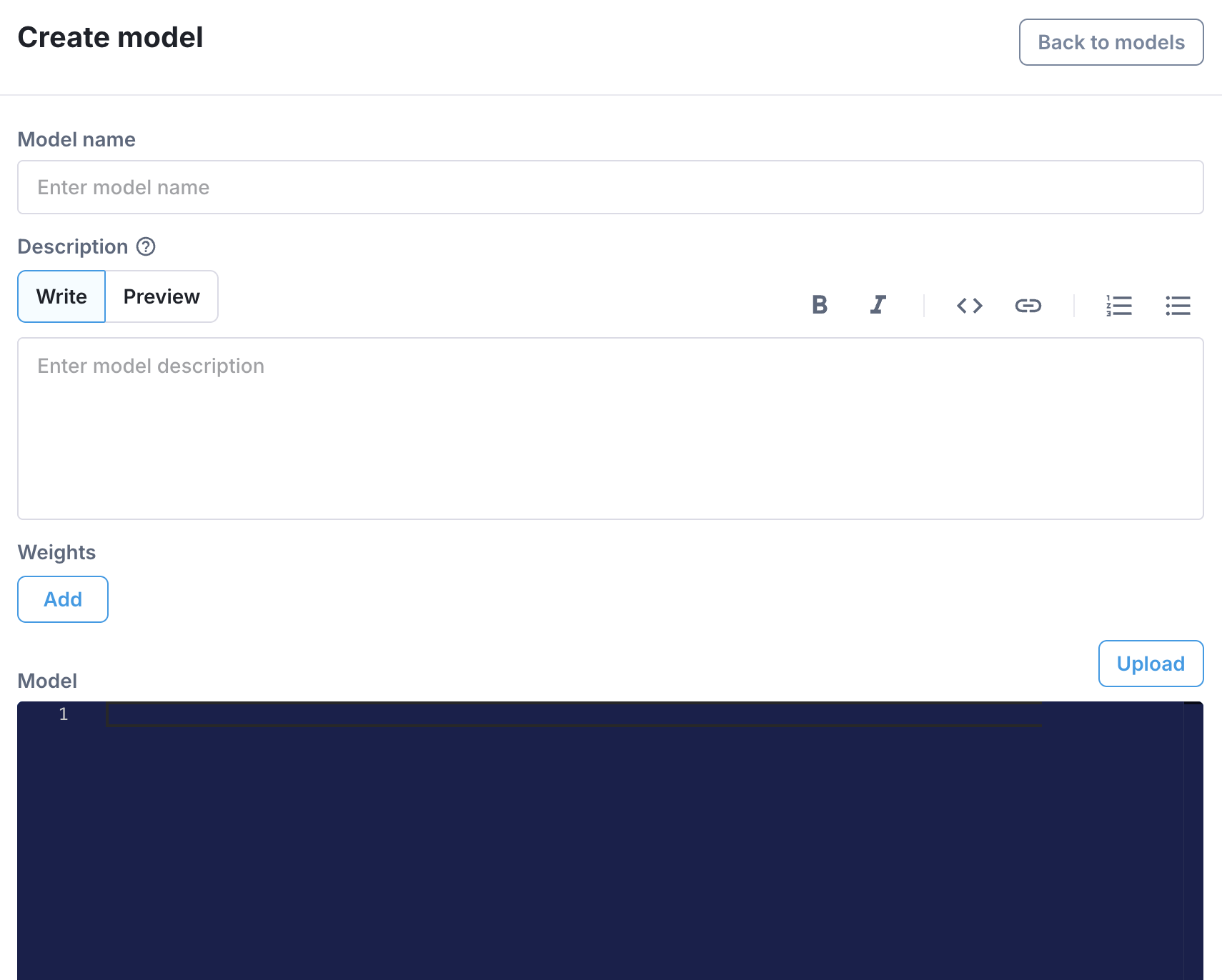
Take care when choosing the visibility of your model. If you choose public, though your model won't be discoverable by other users, it will be usable to all users of Bitfount in their tasks and projects. If you choose private, your model will only be visible and accessible to you and your collaborators.
SDK
To upload a model using the SDK, you need to create a BitfountModelReference object. This object contains the model code, weights and metadata and can be used to reference the model in tasks and projects. Point the model_ref argument to the path of the model code file you want to upload.
Ensure the name of the model code file matches the name of your model class and the name of the model on the Hub.
from pathlib import Path
from bitfount import BitfountModelReference

reference_model = BitfountModelReference(
    model_ref=Path("MyModel.py"),
    datastructure=datastructure,
    schema=schema,
    hyperparameters={
        "epochs": 2
    },  # Epochs or steps need to be provided even for inference models
    private=True,
)
Limitations
- The model code must only contain one model class definition at the top level of the file i.e. the class that implements the relevant Bitfount interfaces (inference, evaluation, training/fine-tuning). If your model makes use of multiple model classes, you will need to nest them within the top level class
- The model code can't be more than 3MB in size
- The model weights can't be more than 500MB in size. Please contact support@bitfount.com if you need to upload a larger model.
Versioning and updates
- When updating a model, make sure to edit the most recent version to ensure changes from previous versions are not lost
- Consider keeping a changelog of changes to the model in each version in the model description, for example:
v1: Initial release
v2: Changed optimizer to AdamW and added L2 regularization
v3: Optimised for faster inference - Each version of the model has its own associated description which can be edited without triggering a new version
After uploading your model for the first time, make sure to validate it by running a small task in the Bitfount App to confirm it still works as expected. You can then share the model with collaborators or create tasks that link it to projects once validated.