Application Settings
In the Application Settings page, you can configure various settings for the Bitfount application. Settings are organised into the following sections: Aggregate tracker and Orchestrator.
Aggregate tracker
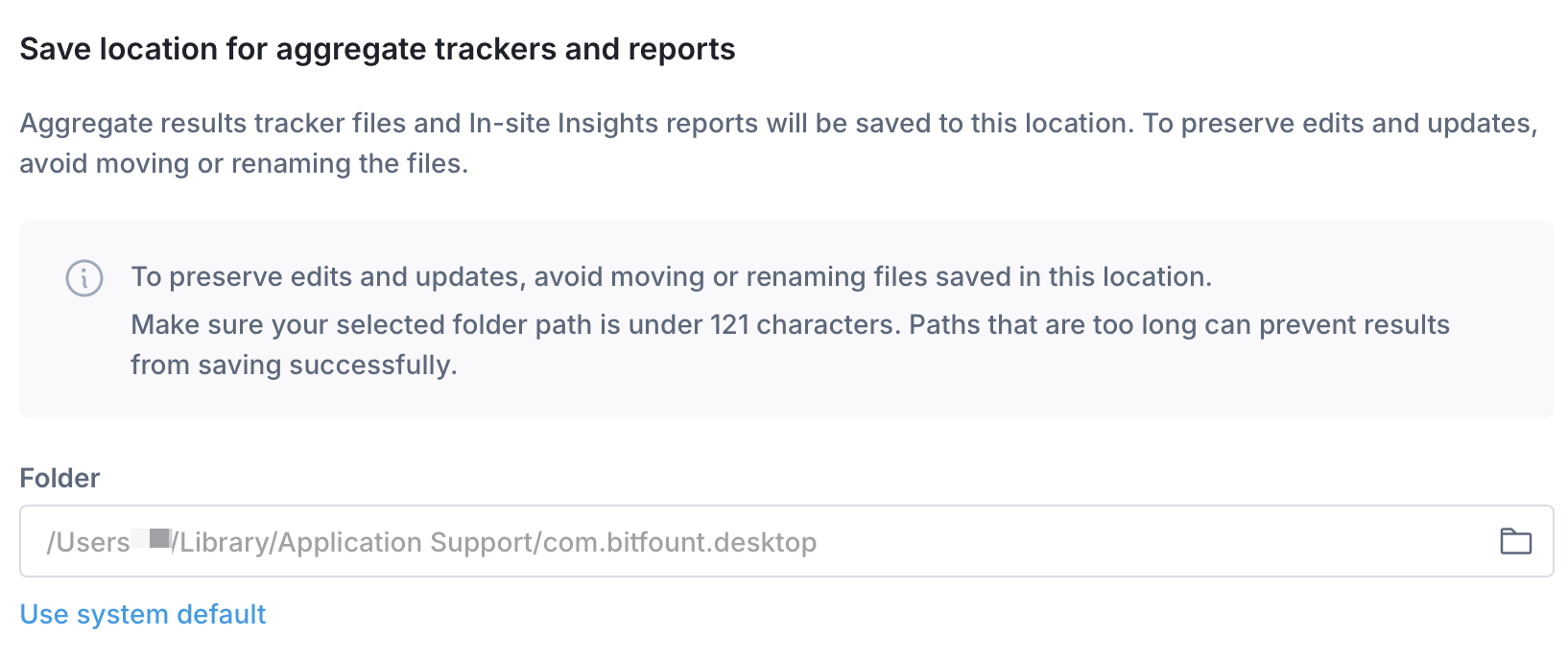
There are some projects that make use of an "aggregate" report i.e. a single file that tracks various metrics over the course of multiple task runs within a project. Each task run will still produce its own results, but the aggregate report will aggregate the results of all task runs. This is enabled by default for the projects that support this feature. However, what can be configured is the location of the aggregate report. Often, it can be beneficial to set this to a shared location where non-Bitfount users can also access the report.
Orchestrator
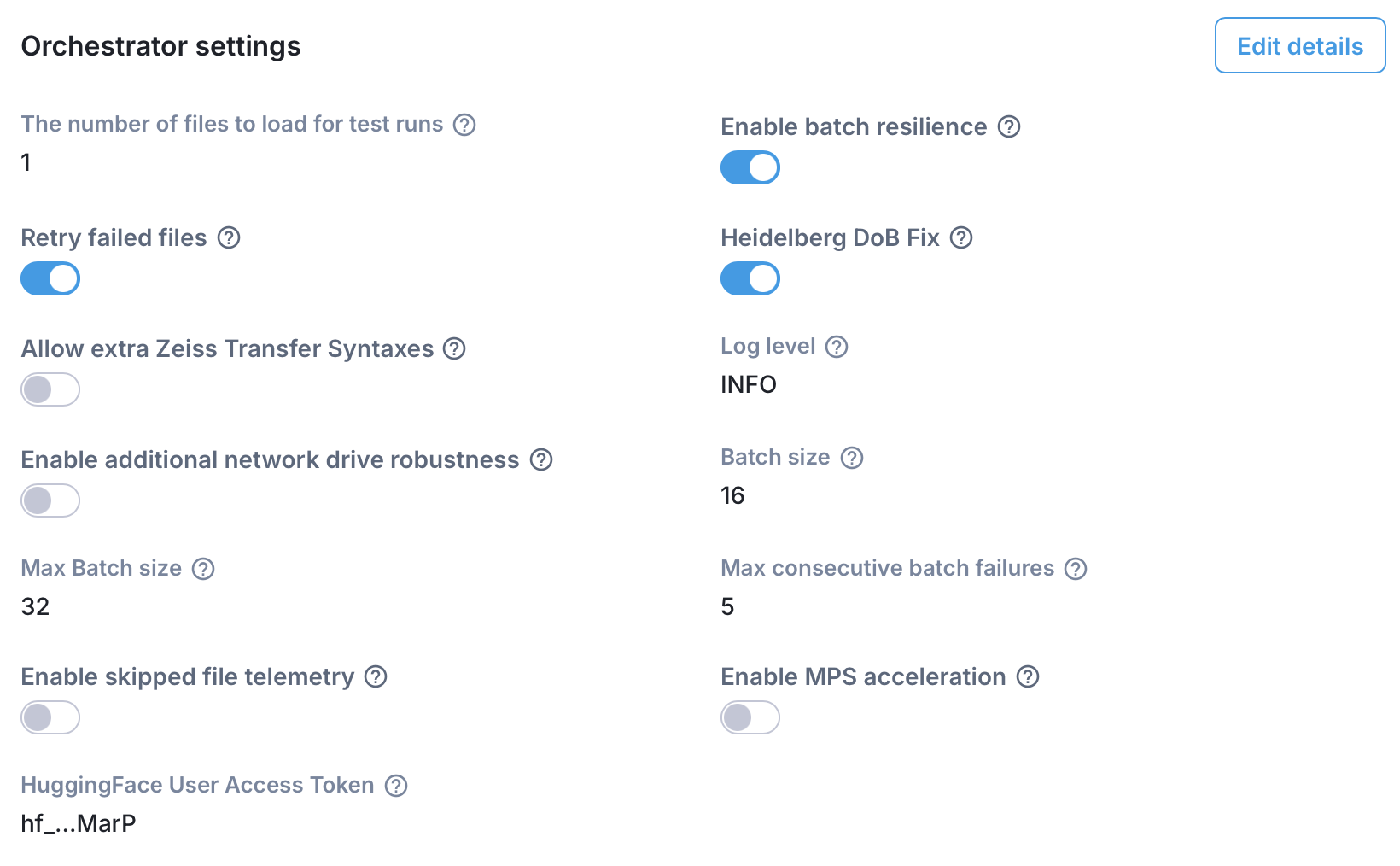
The Orchestrator is the engine in the Bitfount app that coordinates the execution of tasks. Certain configuration settings that pertain to the orchestrator have been exposed here for adjustment.
The number of files to load for test runs
Some tasks allow a test run to be performed on a subset of the files in the dataset to identify any issues with the data or task configuration more quickly. If your project task supports this, it will be visible as a checkbox in the task run page. This setting controls how many files are processed when running a test run. Default is 1.
Enable batch resilience
Continue with the task even when a batch of data raises an error, instead of aborting the entire task run. Default is enabled.
Retry failed files
Automatically re-run any files that failed as part of a batch individually, after batch processing completes. Often, a single broken file can cause an entire batch of data to fail even though the rest of the data is valid. This setting allows you to automatically re-run the failed files individually to make sure that otherwise valid data is not ignored. Only applies if batch resilience is enabled. Default is enabled.
Heidelberg DoB Fix
Apply a fix for Heidelberg files where dates of birth before 1944-11-07 may otherwise be misparsed. Default is enabled.
Allow extra Zeiss Transfer Syntaxes
Enable additional DICOM TransferSyntaxUIDs to be considered when decoding Zeiss images. This feature is still under development so is disabled by default.
Orchestrator log level
Controls the level of detail stored in Orchestrator logs. Options: DEBUG, INFO, WARN, ERROR. Default is INFO.
Network drive robustness
Enable additional robustness checks for network drive operations. Use if data is located on a network drive but the connection may be unreliable. This may be slower and consume more resources. Default is disabled.
Task batch size
Number of files processed in each batch. Larger batches can speed up processing but require more memory so this setting should be adjusted to the available memory on the machine. Default is 16.
Max consecutive batch failures
Maximum consecutive batch failures before the task is marked as failed. Use unset to disable the limit. Default is 5. This setting is only applicable if batch resilience is enabled.
Hugging Face User Access Token
You can configure a Hugging Face User Access Token to authenticate with the Hugging Face Hub when downloading models that require access permissions (e.g. gated models). The token is sent from the modeller to the pod when a task is initiated, and dictates the modeller's permissions for accessing Hugging Face models.
When setting up your Hugging Face token, we strongly recommend using a read-only (fine-grained) token. This ensures that the token can only be used to download models and cannot be used to modify any resources on your Hugging Face account. Since the token is transmitted to the pod as part of task execution, using a read-only token minimises security risk.
MPS (Apple Silicon)
If you are running Bitfount on a Mac with Apple Silicon (M1, M2, M3, M4 chips), you can enable MPS (Metal Performance Shaders) acceleration. MPS leverages Apple's GPU hardware to significantly speed up machine learning model inference and training compared to running on CPU alone.
This setting only applies to tasks running locally on the device — it has no effect on remote datasets or pods running on other machines.
MPS is not supported by all model types. If a model or algorithm does not support MPS, the setting will be ignored and the task will fall back to CPU.